Several of this month's product updates started as messages to our support team. Someone describes what they're trying to do, explains the workaround they've put together, and asks whether there's a better way. Here are three of those stories and what we built in response.
Product updates for large teams: one home for every department
Large organizations rarely train as one group. At a major US airline, the teams working above the wing and below it, ground operations, and airport operations each have their own people, priorities, and training calendars. Until now, the simplest way to keep that work apart in 7taps was to give each group its own account.
That setup held up until people needed to work together. Each account had its own login, its own list of people, and its own settings. There was no central place to control access, collaborating across teams took more effort than it should have, and supporting a dozen separate setups was harder for everyone involved.
Workspaces change that. A company now runs as a single Team with a workspace for each group. Ground operations keeps its courses, folders, and Learning Paths in its own workspace, and airport operations keeps theirs. The subscription, branding, SSO, and directory of people are shared across the whole Team.
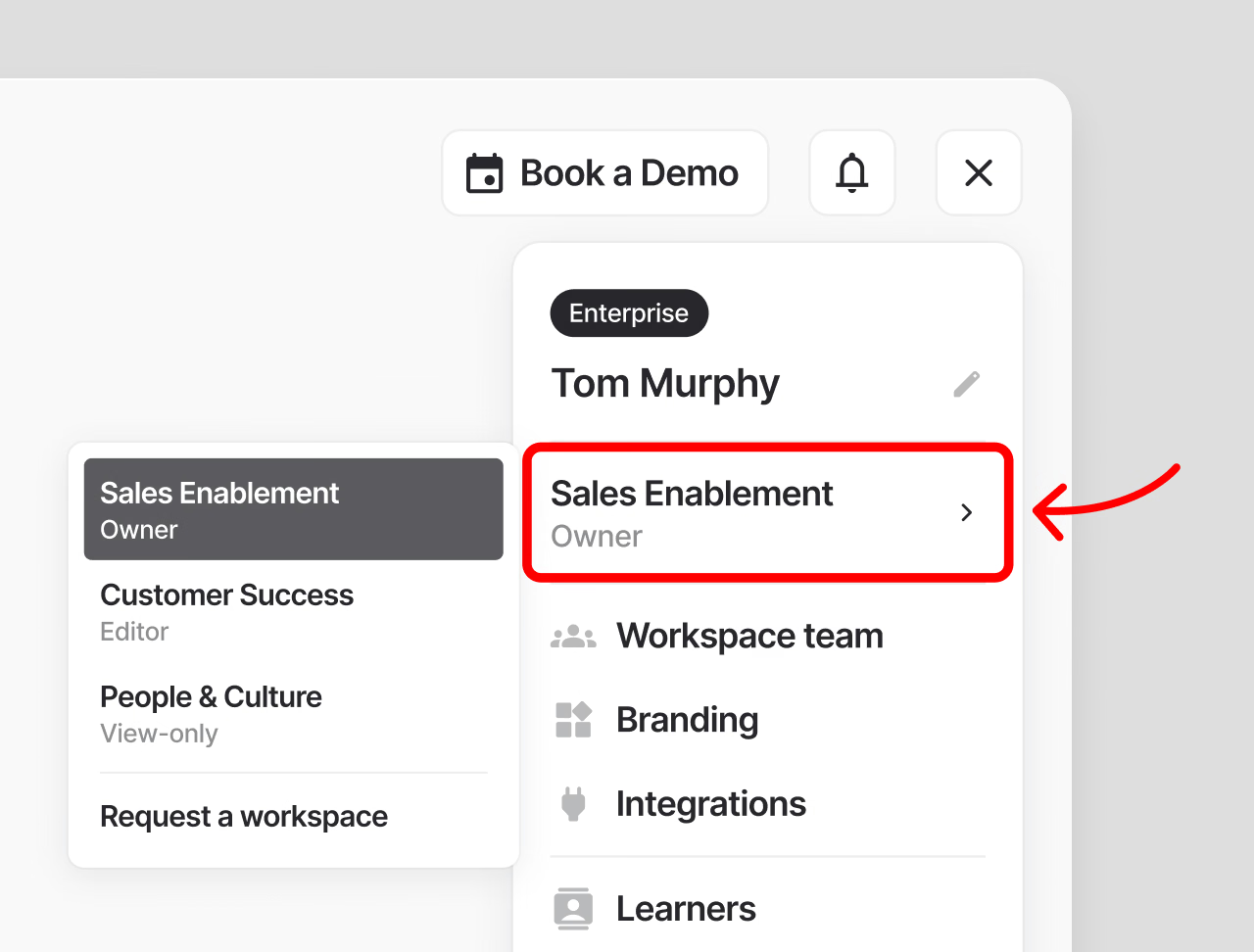
Picture a training lead who builds safety refreshers for ground crews in the morning and helps roll out a new process for airport staff in the afternoon. Instead of signing in and out of two accounts, she switches workspaces from the user menu. She can be an editor in one and view-only in the other, and she uses one seat either way. The people taking her courses never see any of this. Their training simply arrives.
For the company, that means one place to manage who has access, while each department still owns its content.
When a quiz was really a survey
Poll cards are a quick way to ask people what they think. Over time, though, customers kept writing in about two things polls couldn't do yet: let people choose more than one answer, and keep the results private.
So they got creative. Some teams built feedback questions on quiz cards and marked every option as correct, since quiz cards allow more than one right answer. It looked like a multi-select survey. The catch was scoring. A quiz question with four correct answers only counts as passed when someone picks all four, so a person who honestly chose two could fail a question that was never meant to be graded, and that result counted toward passing the course.
Others asked us to hide the percentage split. A healthcare team wanted to run a short pre-test before a course without everyone seeing how their colleagues answered. Another team wanted to gather feedback for an internal report without showing live results to the people answering.
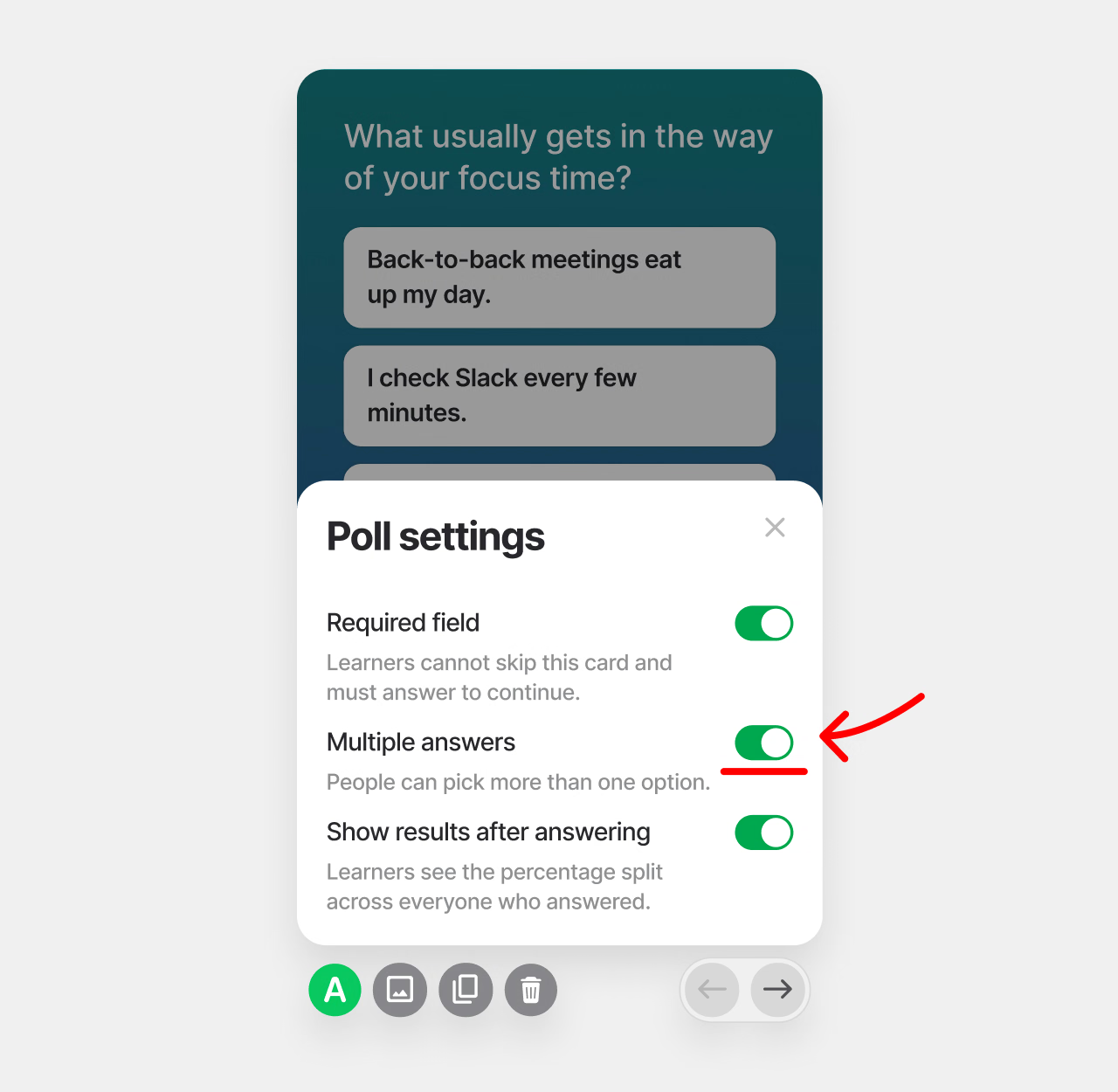
Poll cards now have two new settings. Multiple answers lets people pick every option that applies. Show results after answering can be turned off, so each person sees only their own choice. Polls never count toward a score, so feedback questions stay out of pass or fail entirely.
Details worth a closer look
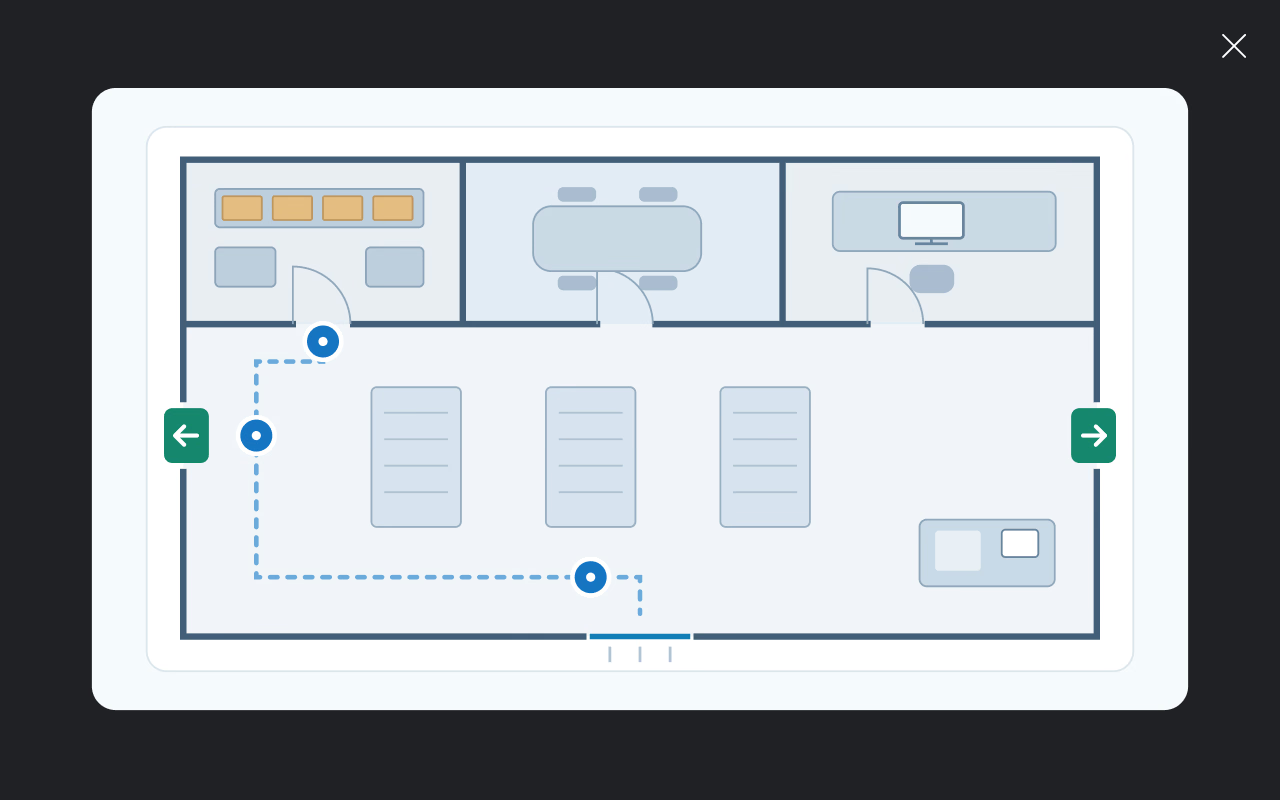
A lot of real work lives in pictures: a screenshot of a system screen, a wiring diagram, a product label. When a course leans on images like these, small details are easy to miss, and several teams told us their people kept asking how to zoom in on a card.
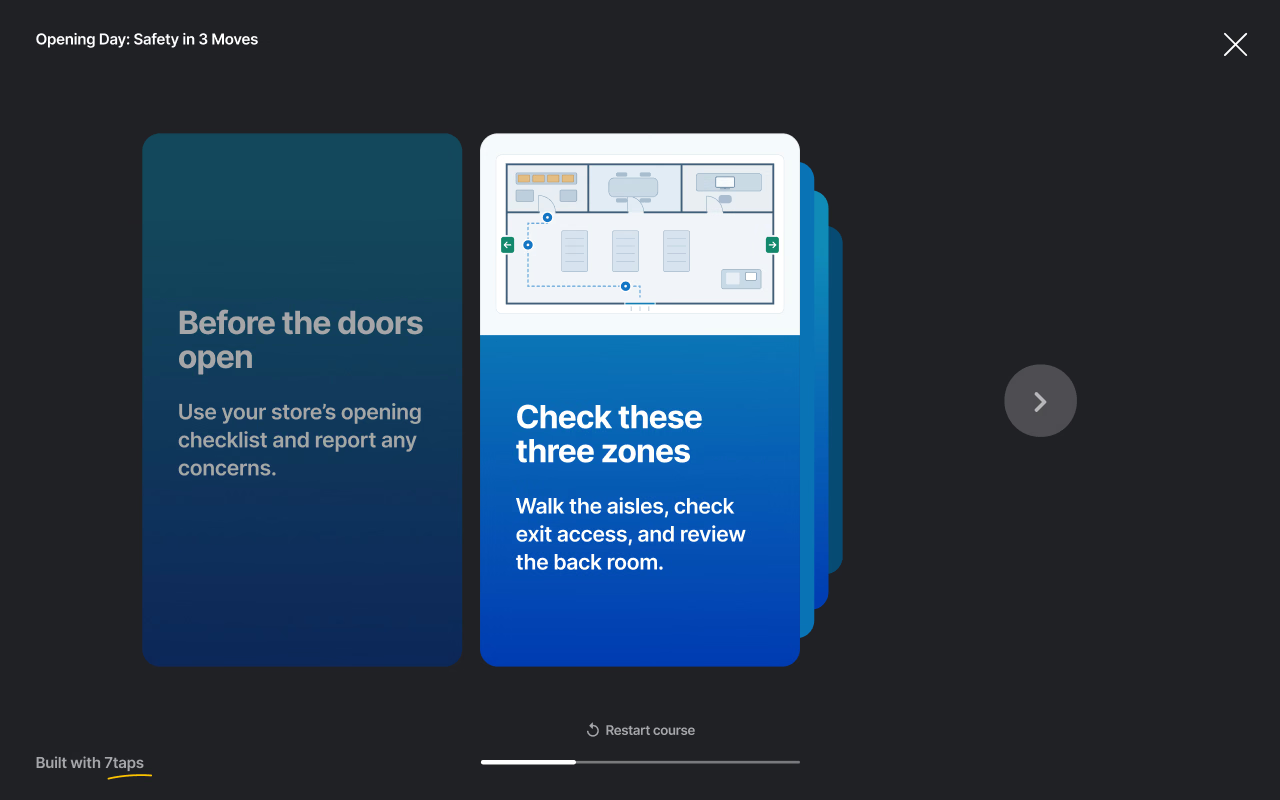
In the desktop course view, clicking an image on a card now opens it larger. A detailed screenshot or diagram can be read properly without anyone leaving the course to find the original.
Keep shaping our product updates
Each of these started with someone explaining a problem in their own words, often with a clever workaround attached. If something in 7taps doesn't fit the way your team works, tell us. Those messages shape what we build next.
The full list of what shipped is in the September release notes on the 7taps community.