Training reaches people through the channels they're already in. That only works if your data keeps up. This release is mostly about making sure it does.
One course. Every channel. One record.
Your warehouse team isn't on email. Your field reps don't check the LMS. Your contractors aren't in Teams. Reaching everyone means using every channel. Now the data keeps up.
You can share the same course via email, SMS, Teams, Slack, WhatsApp, a QR code, or all of the above. Every response, every completion, every interaction ties back to one person. Not one per channel. One.
If someone gets a course via email and opens it again via Slack, their progress is already there. All channels are listed on that single entry, progress is shared across all of them, and revoking access removes everything at once.
Learner Management reflects this too. Anyone who received a course appears in the table regardless of how they got it, even if they were never explicitly imported.
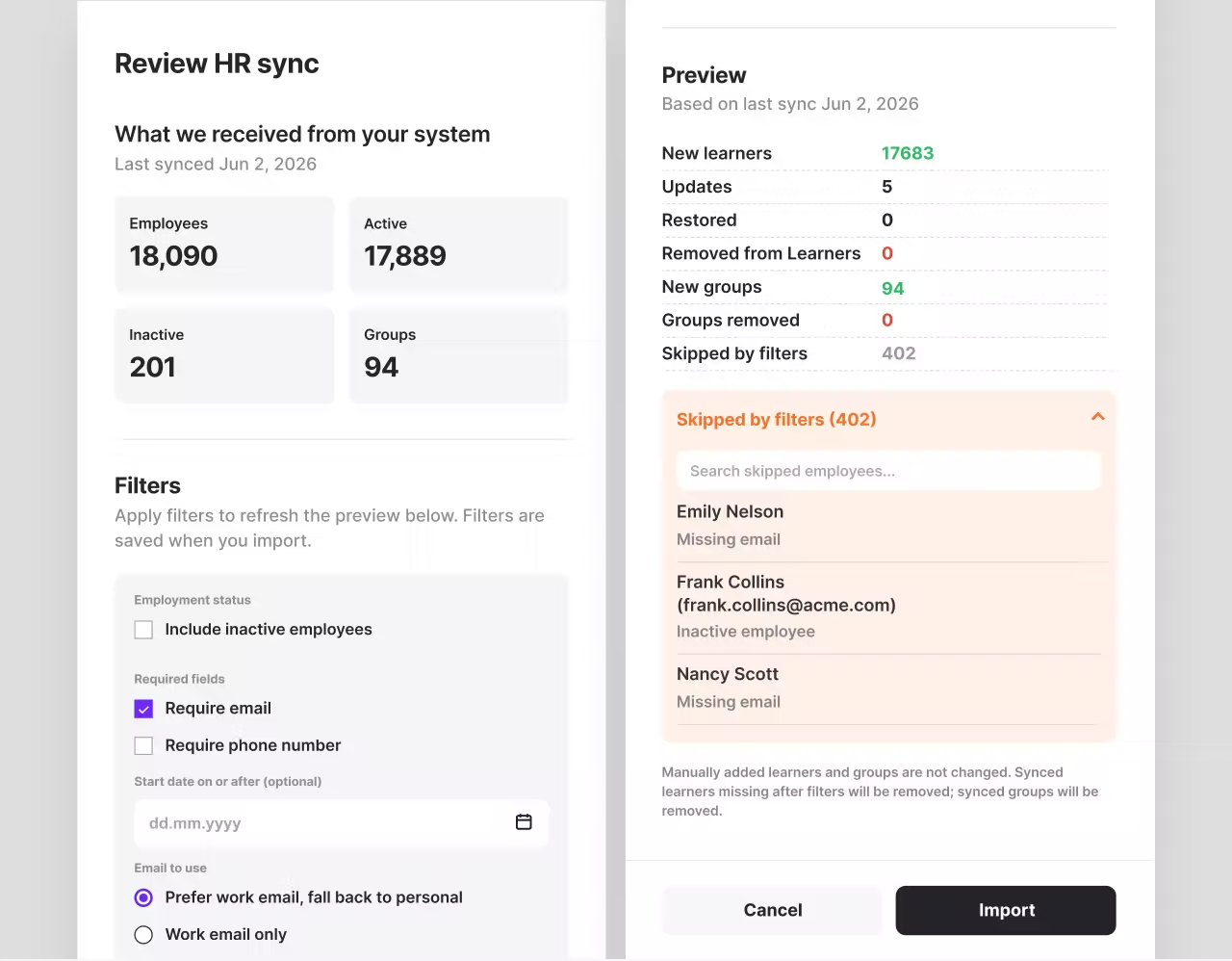
Your HR system tells you who to train. Now it can tell 7taps too.
When you sync people from your HR system, you can now filter who actually gets imported. Before anything changes, you see a preview: new people, updates, removals, anyone your filters skipped.
Filters include employment status, required contact fields, start date, and which groups, locations, or teams to include. Set them once and they apply to every future sync automatically.
If "we don't want to sync everyone" has been the thing holding back your HRIS integration, it's not anymore.
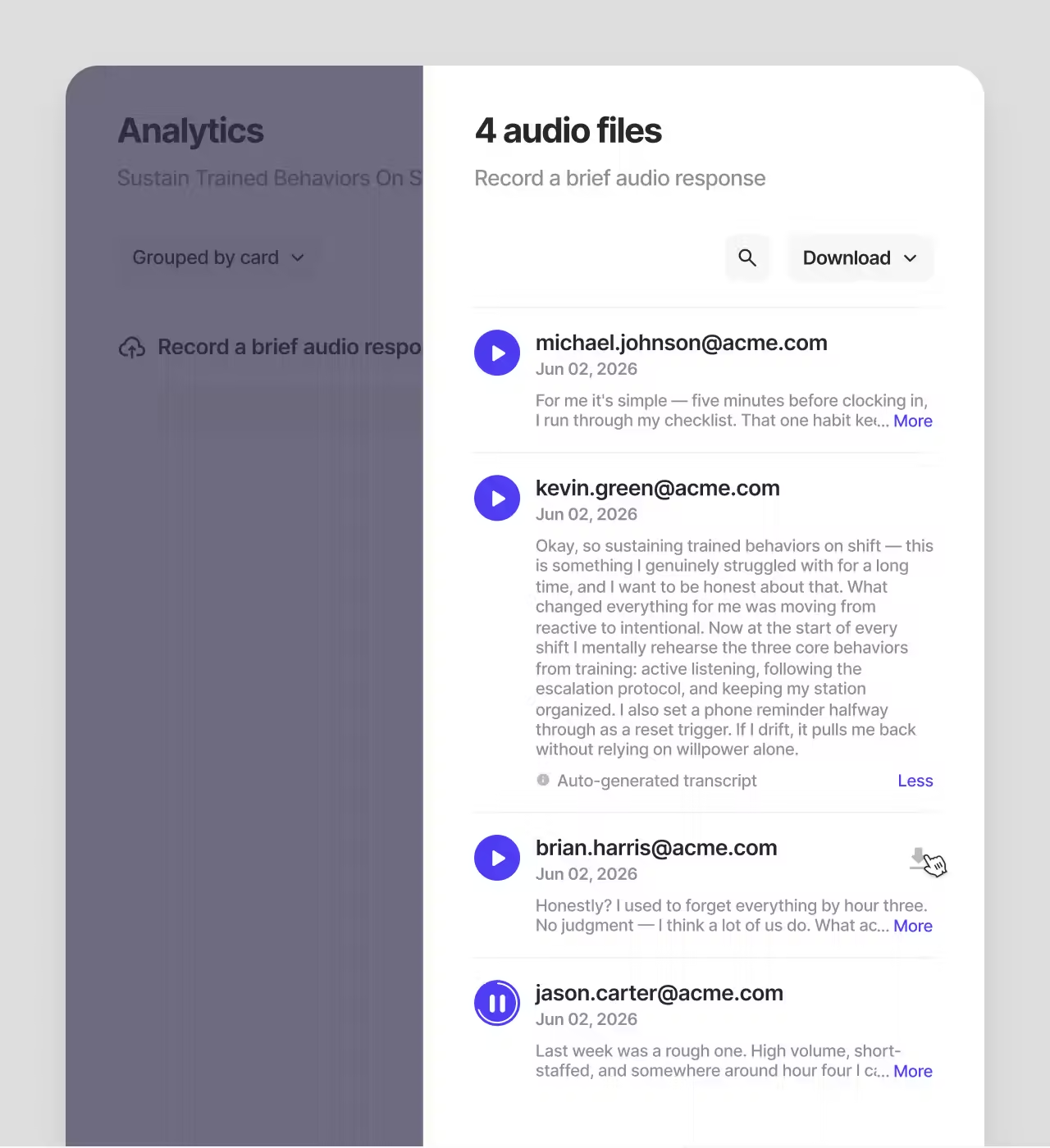
Audio responses, transcribed automatically
When someone submits an audio response in a course, the transcript generates automatically and shows up in your analytics. No manual work. Transcripts are searchable and export to CSV alongside the name and submission date.
If no speech is detected or transcription isn't available, analytics shows a clear status instead of a blank.
Courses that ask the same question twice
Some questions are worth asking more than once. How confident are you going into this week? Did the process change anything for you?
Submit, Form, and Rate cards can now be answered as many times as you want. The most recent answer is what gets recorded. A Rate card becomes a weekly pulse. A Form card becomes a recurring check-in. The course doesn't change. The answers do.
Also in this release
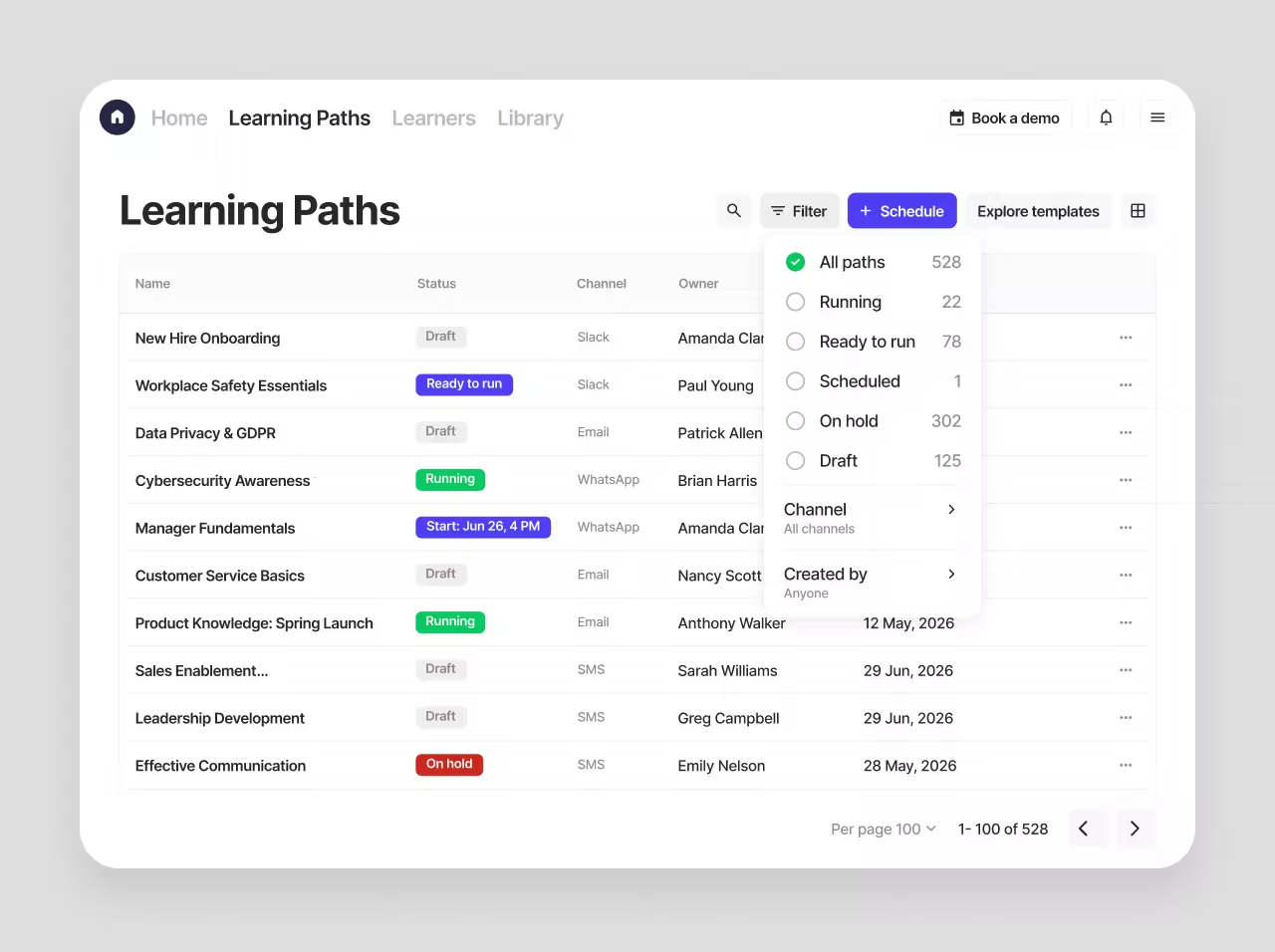
Learning Paths now support a 0-day gap between courses — the next one sends within 15 minutes of completing the previous one. Learning Paths also now have a table view with filters by status, channel, and owner.
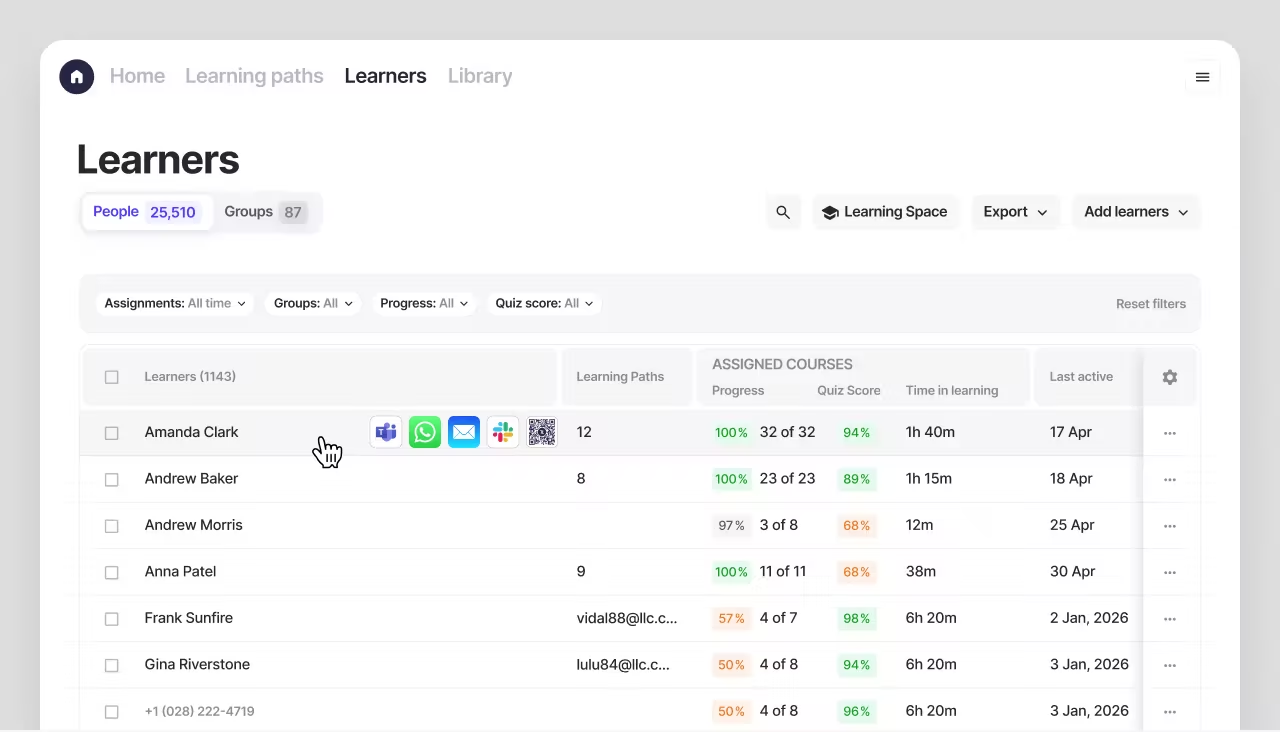
Slack and Teams courses now show up in Learning Space automatically. MS Teams and Slack now pre-fill your last sharing message when you resend. Seven new languages in Text to Speech: Arabic, Dutch, Polish, Turkish, Swedish, Danish, and Czech.
Every interactive card response now shows a submission date in the UI and in exports. The xAPI integration now covers ratings, checklists, and uploads in addition to quizzes and polls. For teams delivering to shared devices, there's a dedicated Kiosk Mode QR code button in the QR sharing panel. Subtitle editing now lets you correct individual words without re-recording — click the typo, fix it, timing stays intact.
Learn more about this release.